HARWORTH.AI

Harworth Document Platform

A secure client portal and CRM for your tax, law, or finance practice

Developed with small businesses, for small businesses.

Built for FTC Safeguards Rule (GLBA) compliance

Collect W-2s, 1099s, receipts and statements without email attachments or paper, then message clients, get signatures and get paid in the same place. A built-in CRM tracks every client from engagement letter to completed return, so your whole team knows who needs what. Each firm gets its own private portal, and every file, note and message is encrypted before it's stored.
Your firm's portal

Screenshots

See it in action

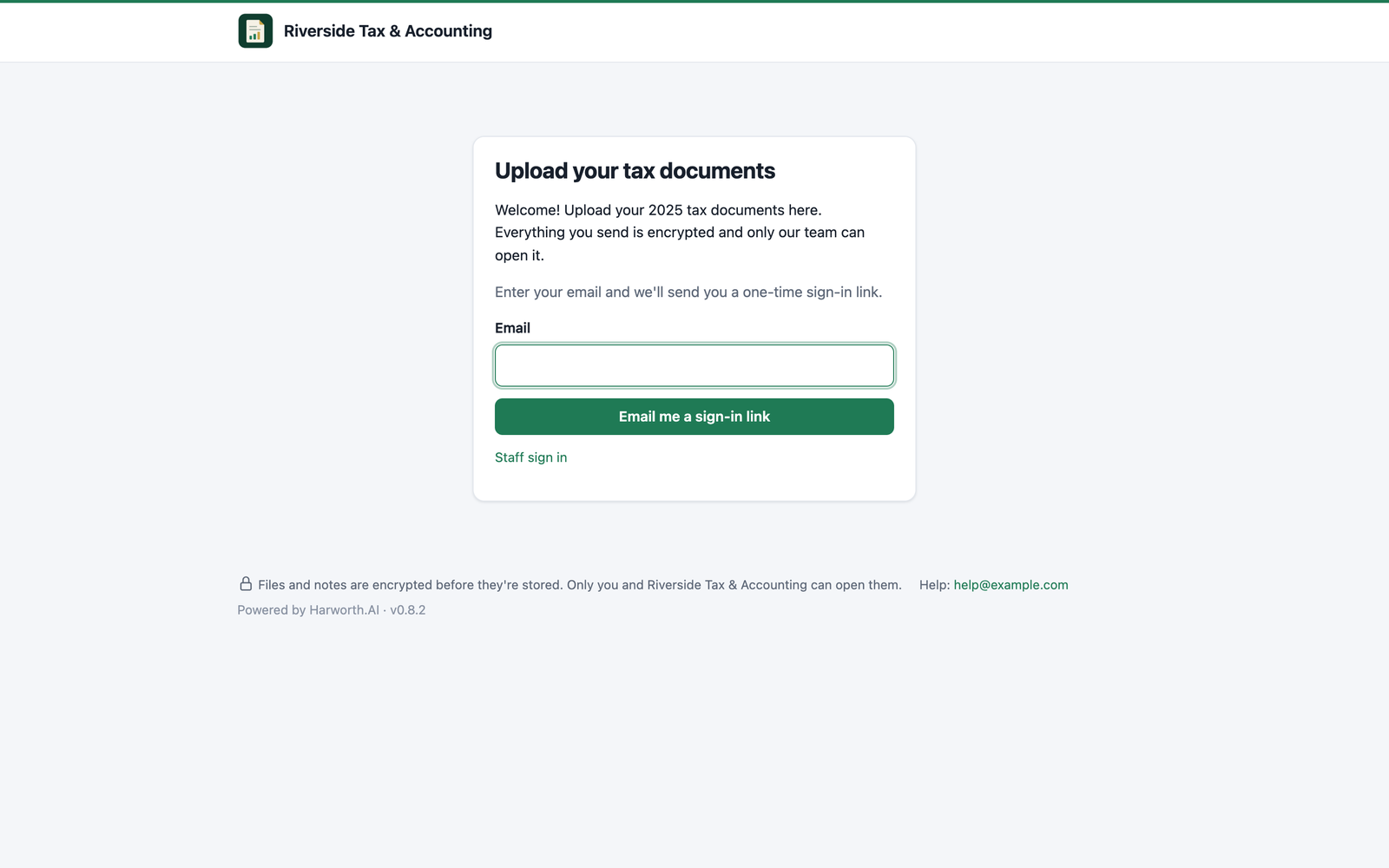
Your firm's portal
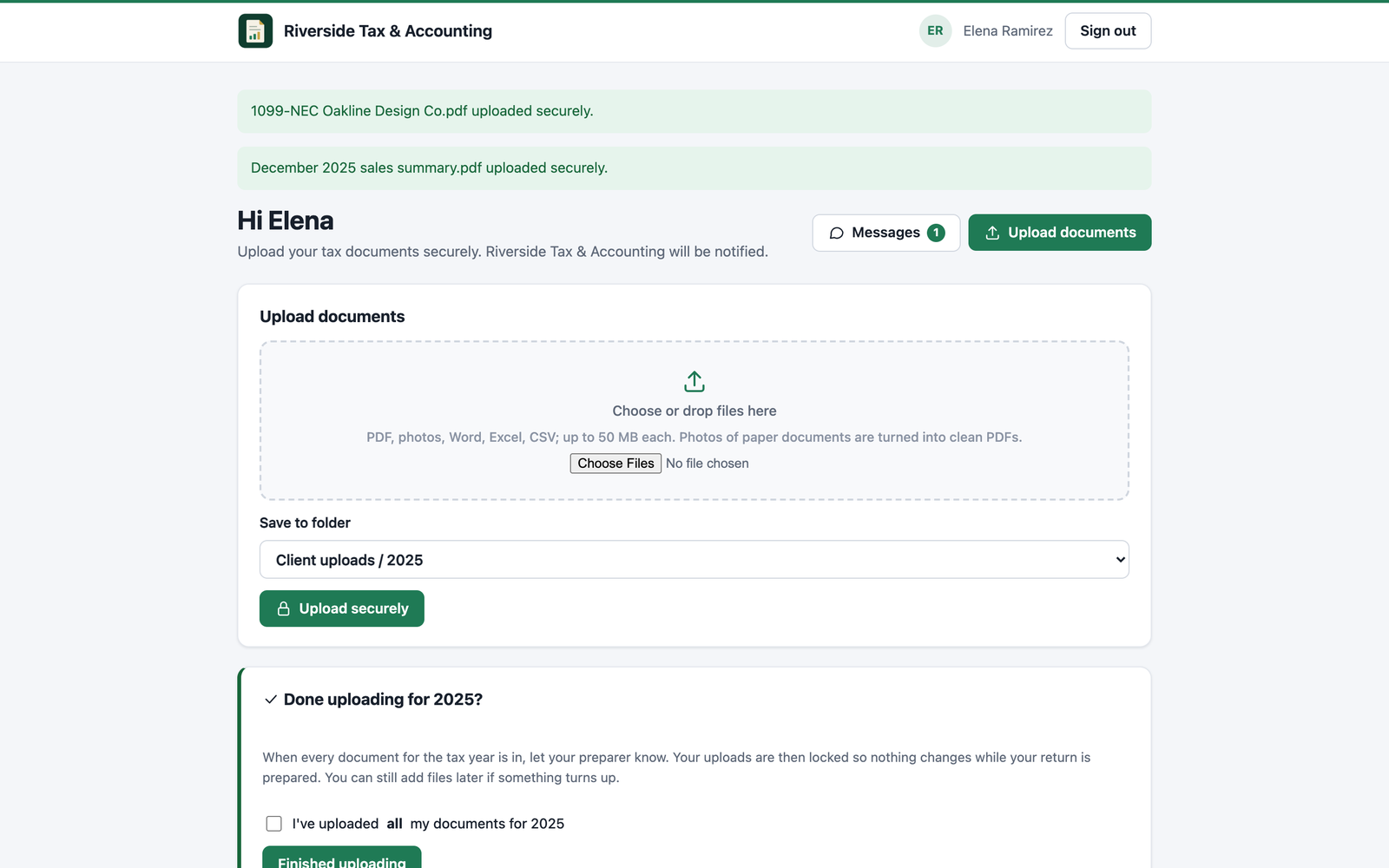
Your firm's portalBranded with your name, colours and logo. Clients sign in with a one-time link, with no passwords to create or forget.
Upload in a few clicks
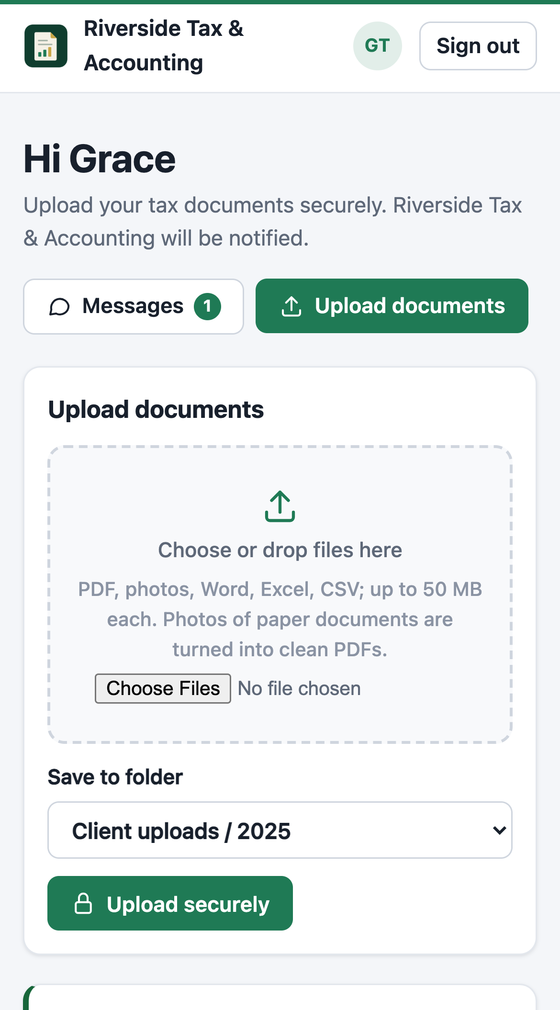
Upload in a few clicksClients rename and label each file (W-2, 1099, 1098…) and choose a folder. Photos of paper forms become clean, searchable PDFs.
A CRM built for tax season
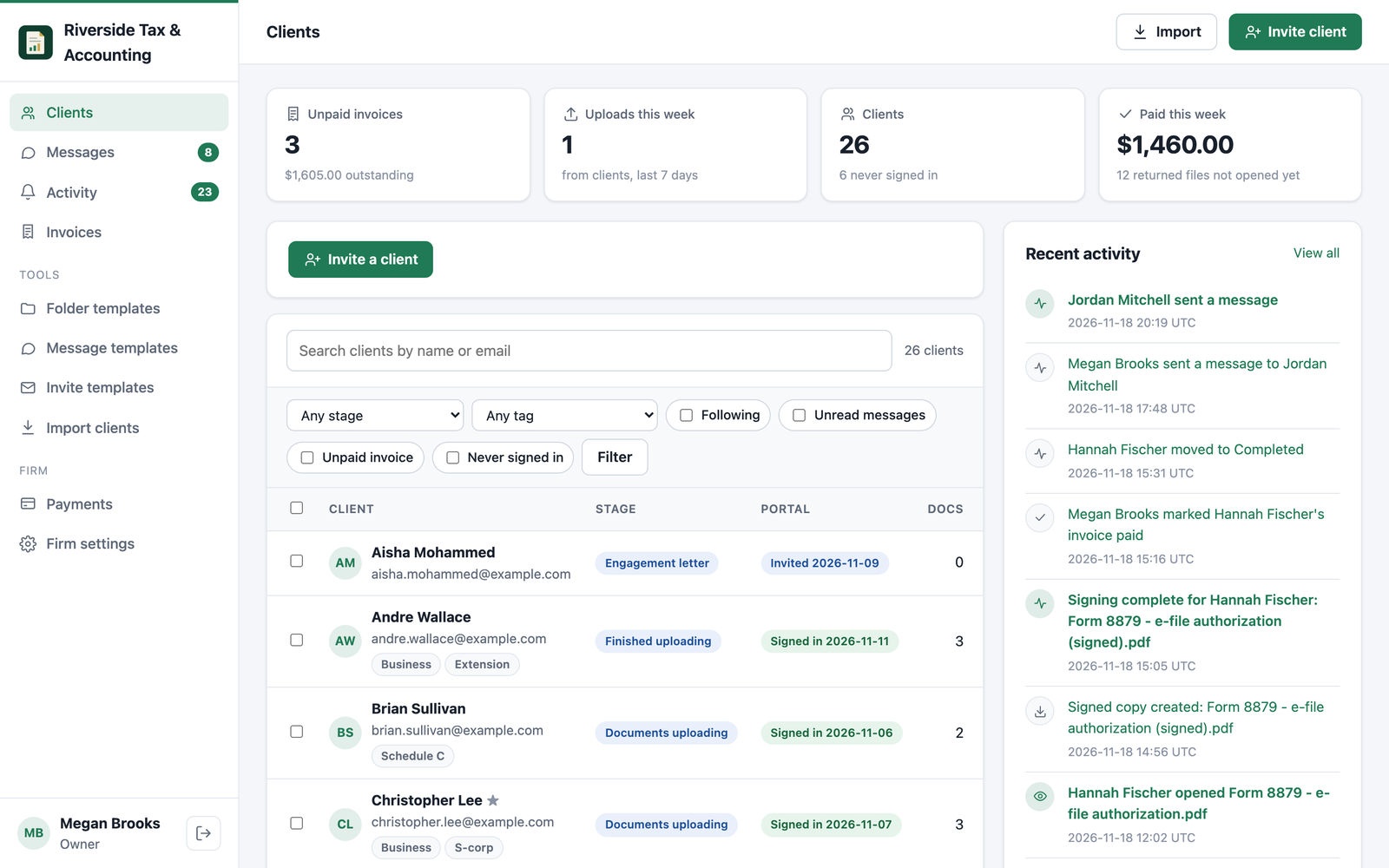
A CRM built for tax seasonEvery client's pipeline stage, tags, assigned preparer and portal status at a glance, alongside unpaid invoices and new uploads, with filters and bulk actions.
Every client's documents in one place
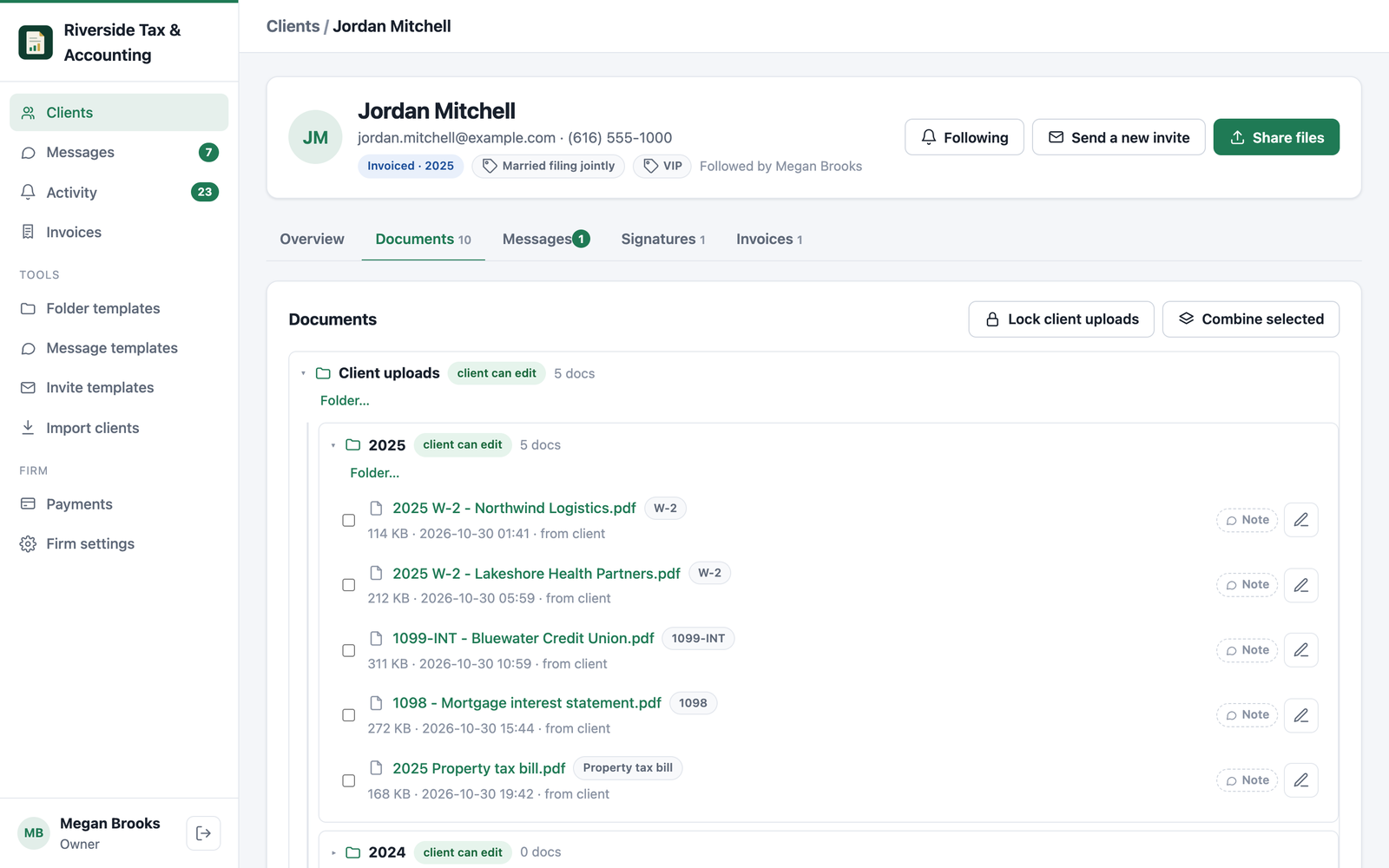
Every client's documents in one placeFolders per tax year, document types, private notes and signature status. Combine documents into one PDF in a click.
Secure messages instead of email
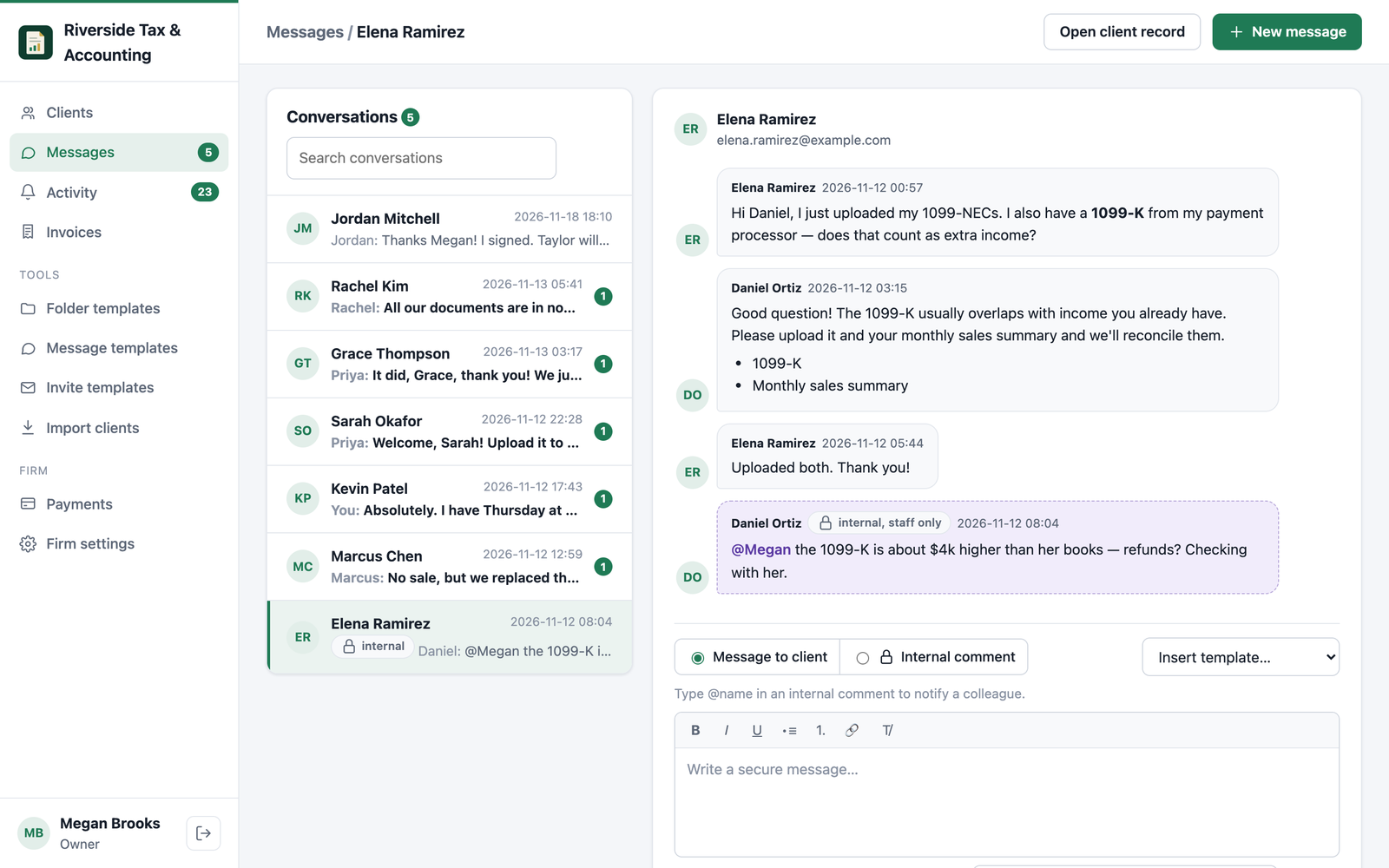
Secure messages instead of emailEncrypted conversations with read receipts, message templates and internal comments your clients never see.
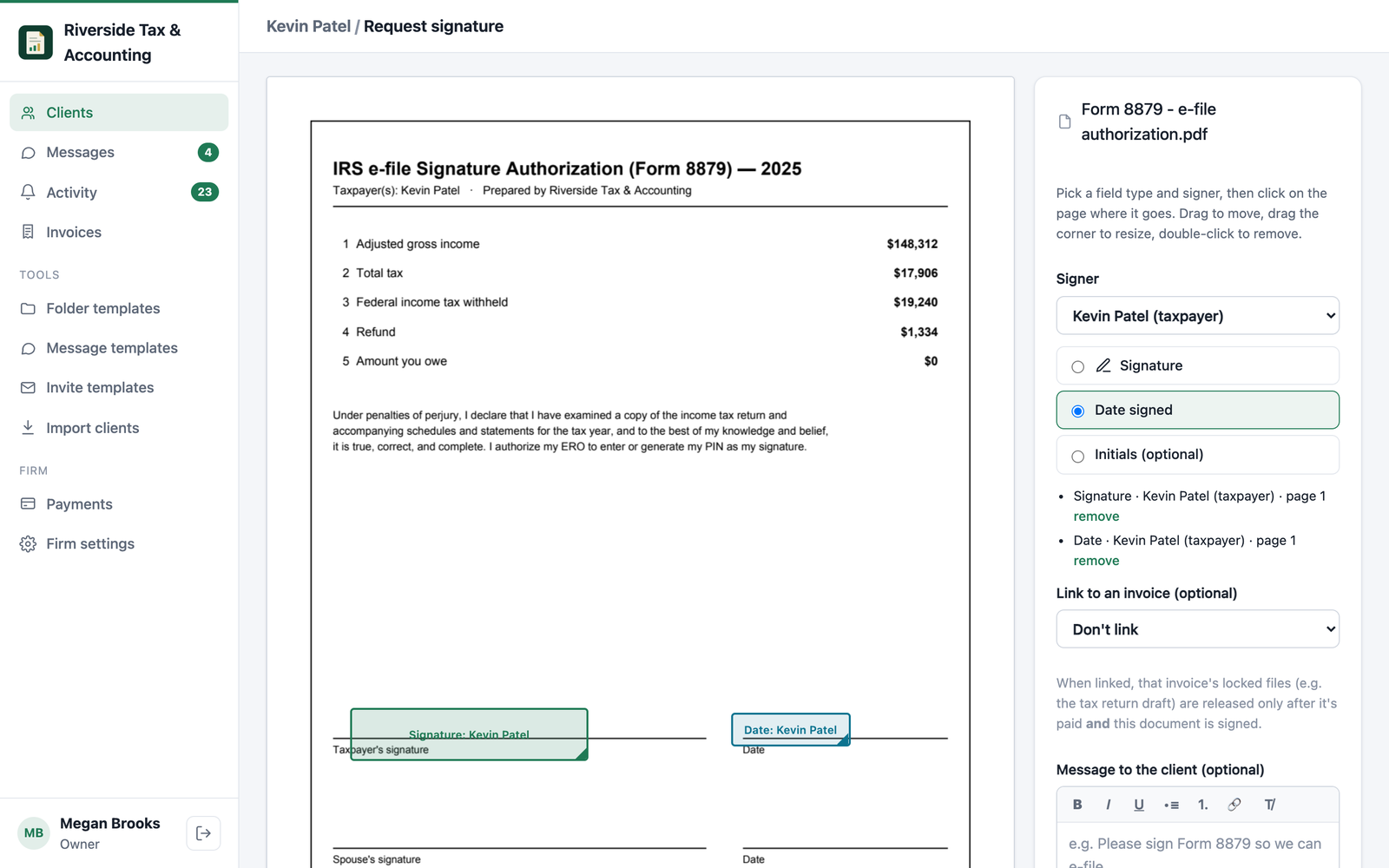
E-signatures, tied to payment
E-signatures, tied to paymentPlace signature and date fields for each spouse. The draft return unlocks once it's signed and the invoice is paid.
Works on any phone
Works on any phoneClients photograph a form, send it, read your message and sign, all from their phone with no app to install.

Features

Everything your practice needs this season

Passwordless client sign-in

Clients get a one-time sign-in link by email. A spouse can have their own sign-in to the same household.

Secure document upload

PDF, photos (including iPhone HEIC), TIFF, Word, Excel and CSV up to 50 MB. Photos become searchable PDFs.

A CRM for tax season

Move clients through pipeline stages from engagement letter to completed, with tags, saved filters and bulk actions.

Team assignment and follow-up

Assign clients to preparers, follow the ones you care about, and @mention teammates in internal comments.

Activity feed and summaries

A live feed of uploads, messages, signatures and payments, plus email summaries of what changed.

Client records with private notes

Each client's documents, conversations, signatures and private staff notes on one record your clients never see.

Secure messages

Encrypted conversations with read receipts, drafts, message templates and internal @mentions for your team.

E-signatures and payments

Clients sign Form 8879 online and pay by card through your own Stripe account. Files release when both are done.

Folders and templates

Tax-year folders with view or edit access, and shared folder templates that update for every client at once.

Your own portal

Your name, colours and logo at your own web address. Owners manage branding, domains and staff themselves.

Built for phones

Clients can snap, send, message and sign from any phone, with no app to install.

Access trail

Every upload, download, note, message and signature is recorded, so you always know who did what and when.

Security

Security built in, not bolted on

Your clients trust you with their most sensitive documents. The portal is designed so that trust is never misplaced.

FTC Safeguards Rule (GLBA)Tax preparers must protect client data under the FTC Safeguards Rule. The portal provides the technical safeguards it calls for: encryption of client information at rest and in transit, multi-factor sign-in for staff, access limited to authorized users, logging of document access, and secure disposal when you leave. Your firm's written information security plan (WISP) covers the rest.
  • Every file is encrypted with its own key before it's stored; notes, messages and signatures are encrypted too
  • Your firm's keys live in a hardware security module (HSM) and are never shared with another firm
  • Each client sees only their own files; your staff see only your firm's files
  • Emails never contain message or note text, only a one-time link to sign in and read it
  • Storage and keys have no public access: only the platform reaches them, over Azure's private network in the US
  • Every document opening is logged
  • Staff sign in with a password plus a second verification code
  • Close your account and your key is destroyed, making every file permanently unreadable

Setup

Zero-step setup Ready in minutes

Nothing to install, configure or host. Check out, and your portal is built for you automatically.

  1. 01

    Check out

    Choose the plan and pay securely through Stripe.

  2. 02

    We build your portal

    Your firm, owner account, encryption key, private storage and portal address are created automatically.

  3. 03

    Invite your clients

    Sign in, add your clients' email addresses, and they can start uploading.