Drastically increase your firm's efficiency
Data entry happens in the background as clients upload. Your team spends its time reviewing and advising instead of keying in W-2s and 1099s, so you can take on more clients without adding staff.
Harworth Tax Automation
Grow your practice without growing your team.
Built to NIST SP 800-53 · GLBA · Zero Data Retention
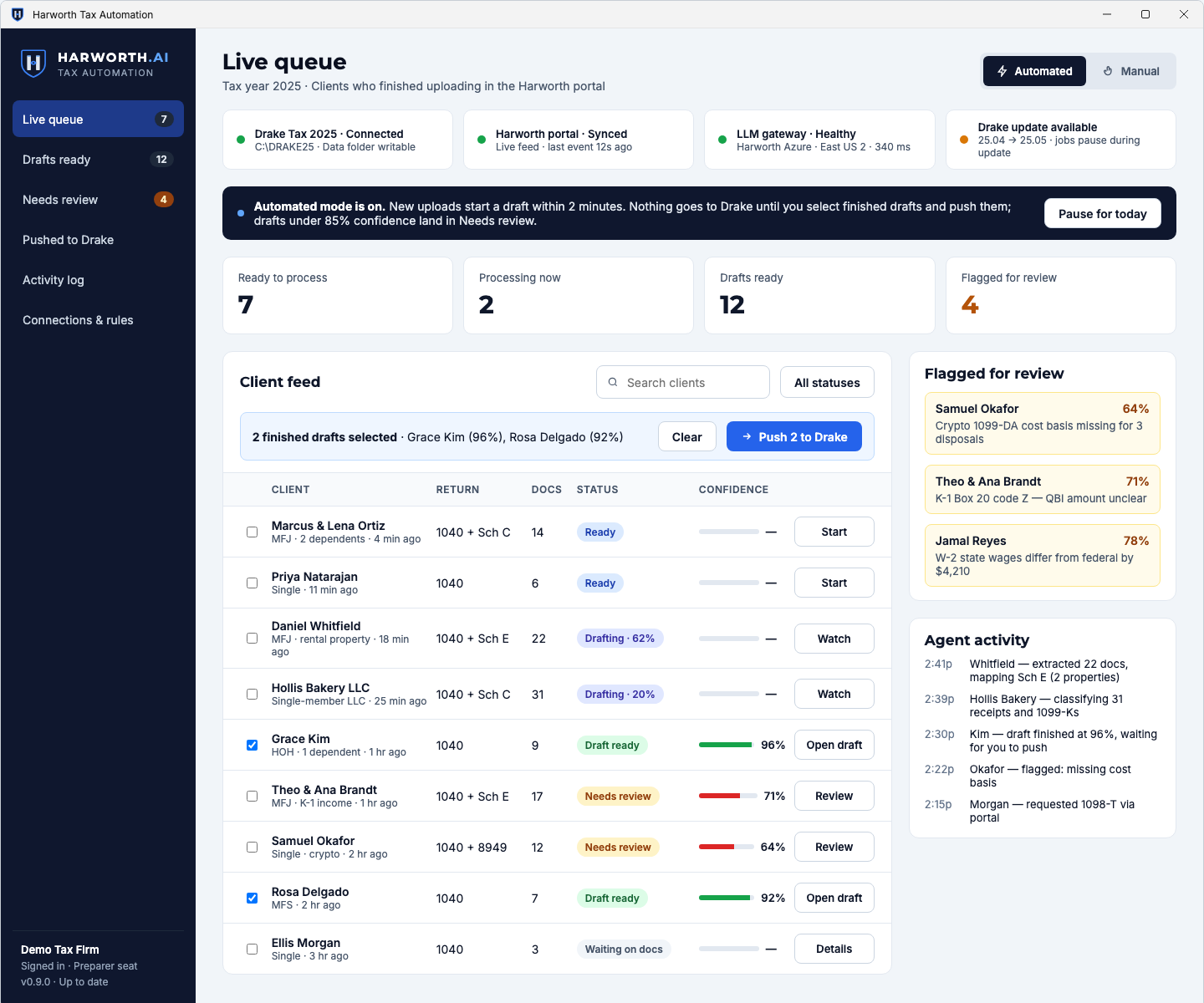
Harworth Tax Automation connects Drake Tax to your Harworth Document Platform. When a client finishes uploading, an AI agent reads every document, drafts the return, scores how confident it is and flags anything that needs a preparer's judgement. You review the draft, read the agent's notes and push finished returns into Drake in a click.
Why firms use it
Data entry happens in the background as clients upload. Your team spends its time reviewing and advising instead of keying in W-2s and 1099s, so you can take on more clients without adding staff.
Every value links back to the document it came from and gets a confidence score. Anything uncertain is flagged with the agent's reasoning, so it gets a preparer's attention instead of slipping through.
Spend busy season on questions, planning and advice, not data entry. Your clients get more of you, and faster turnaround.
Screenshots
How it works
Install the app on the PC that runs Drake, sign in, and your live queue fills as clients finish uploading.
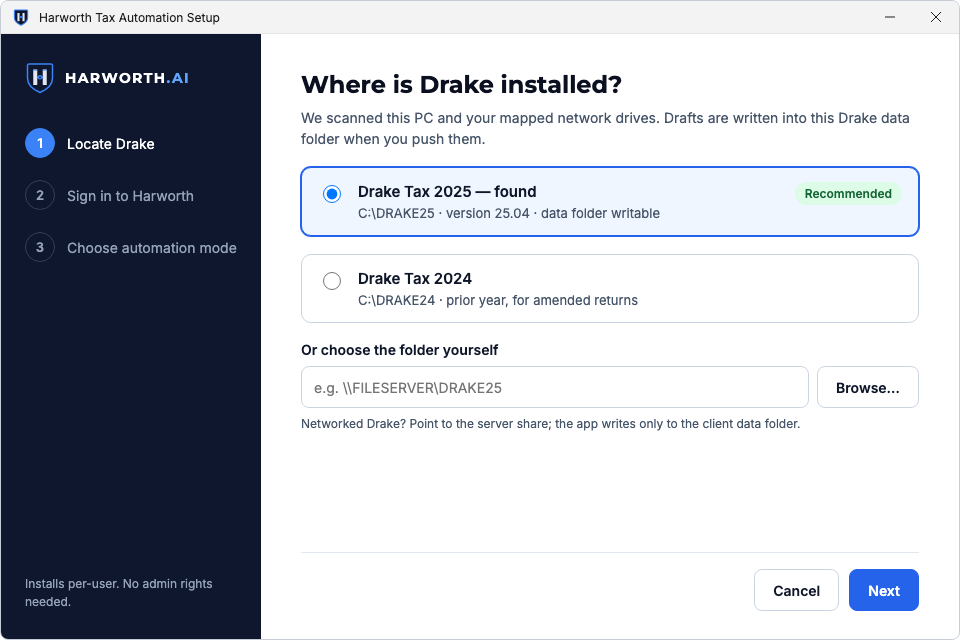
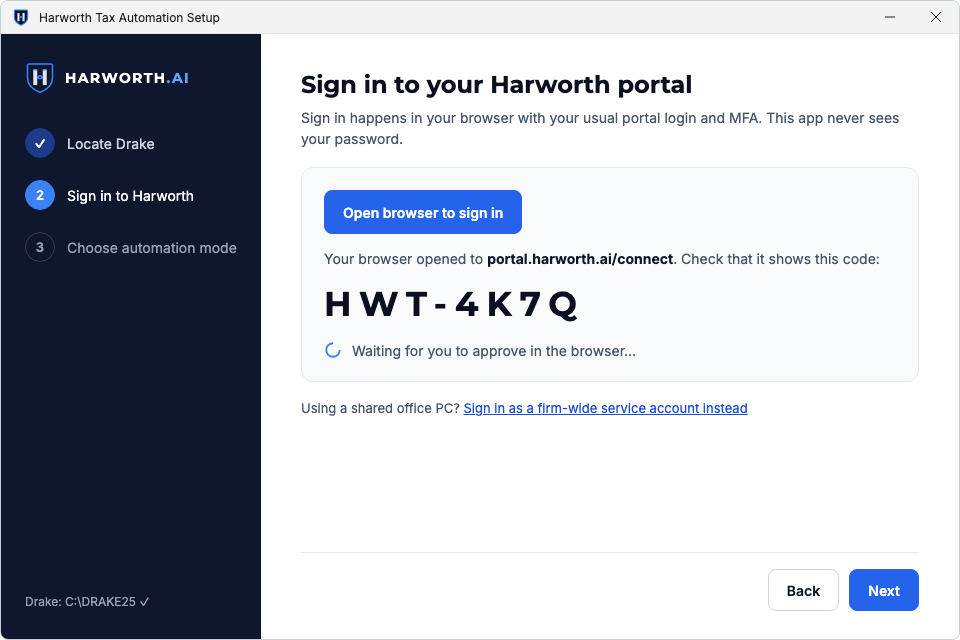
Install the app, confirm your Drake location (we detect it for you) and sign in to your Harworth Document Platform.
Clients upload their documents to your portal as usual. When they're done, they appear in your live queue.
The agent reads every document, drafts the return, scores its confidence and flags anything that needs you.
Check flagged items and the agent's notes, then select finished drafts and push them into Drake.
Features
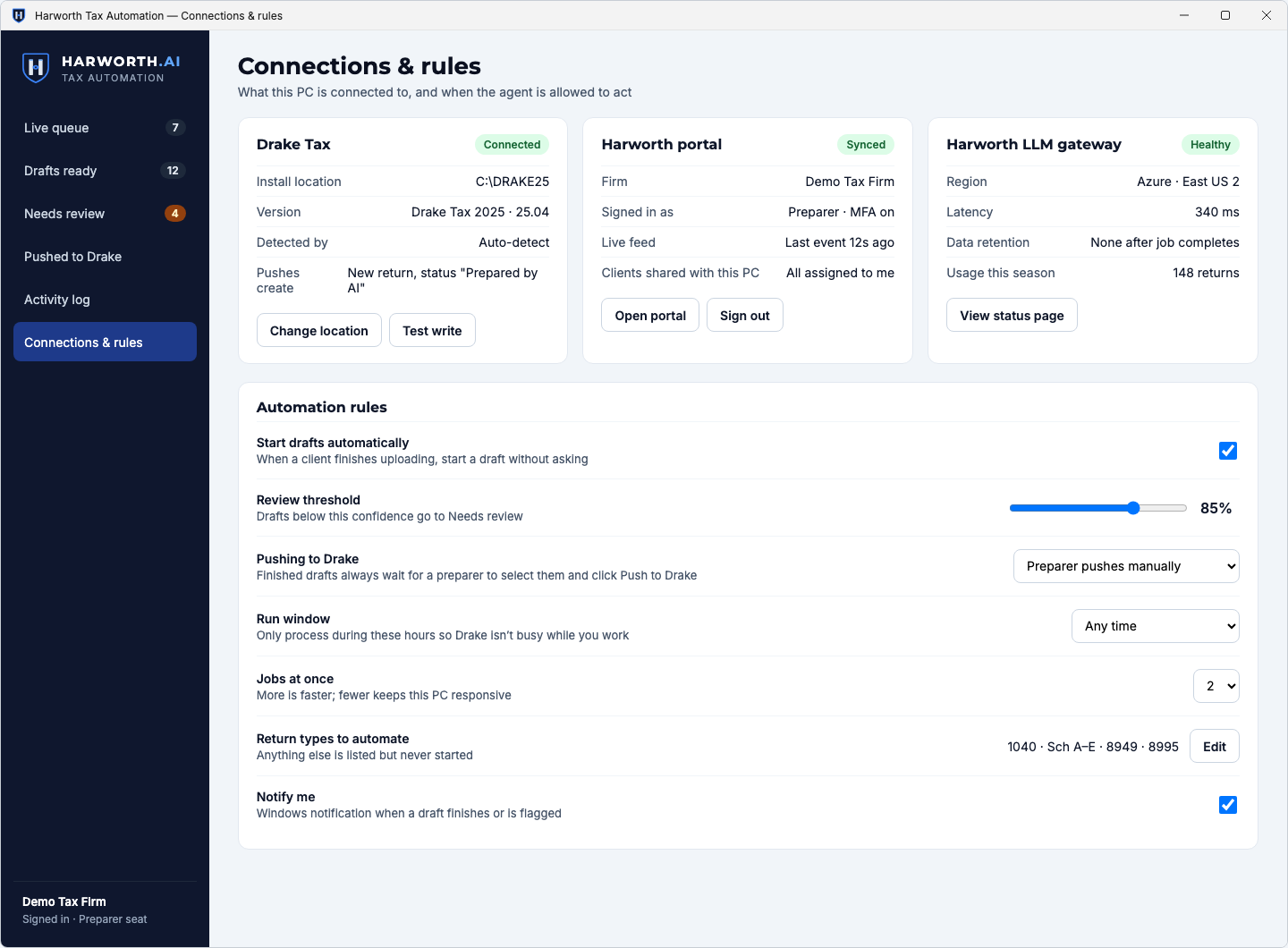
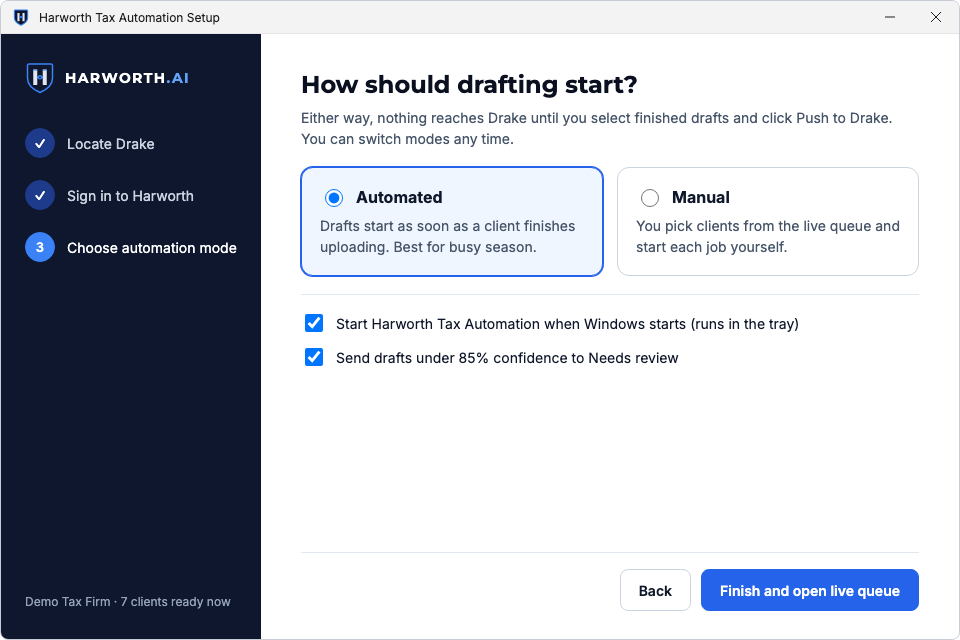
Leave it on Automated and drafts start as soon as clients finish uploading, or select clients and start the jobs yourself.
Every client who has finished uploading, with status, return type, document count and confidence, updated live.
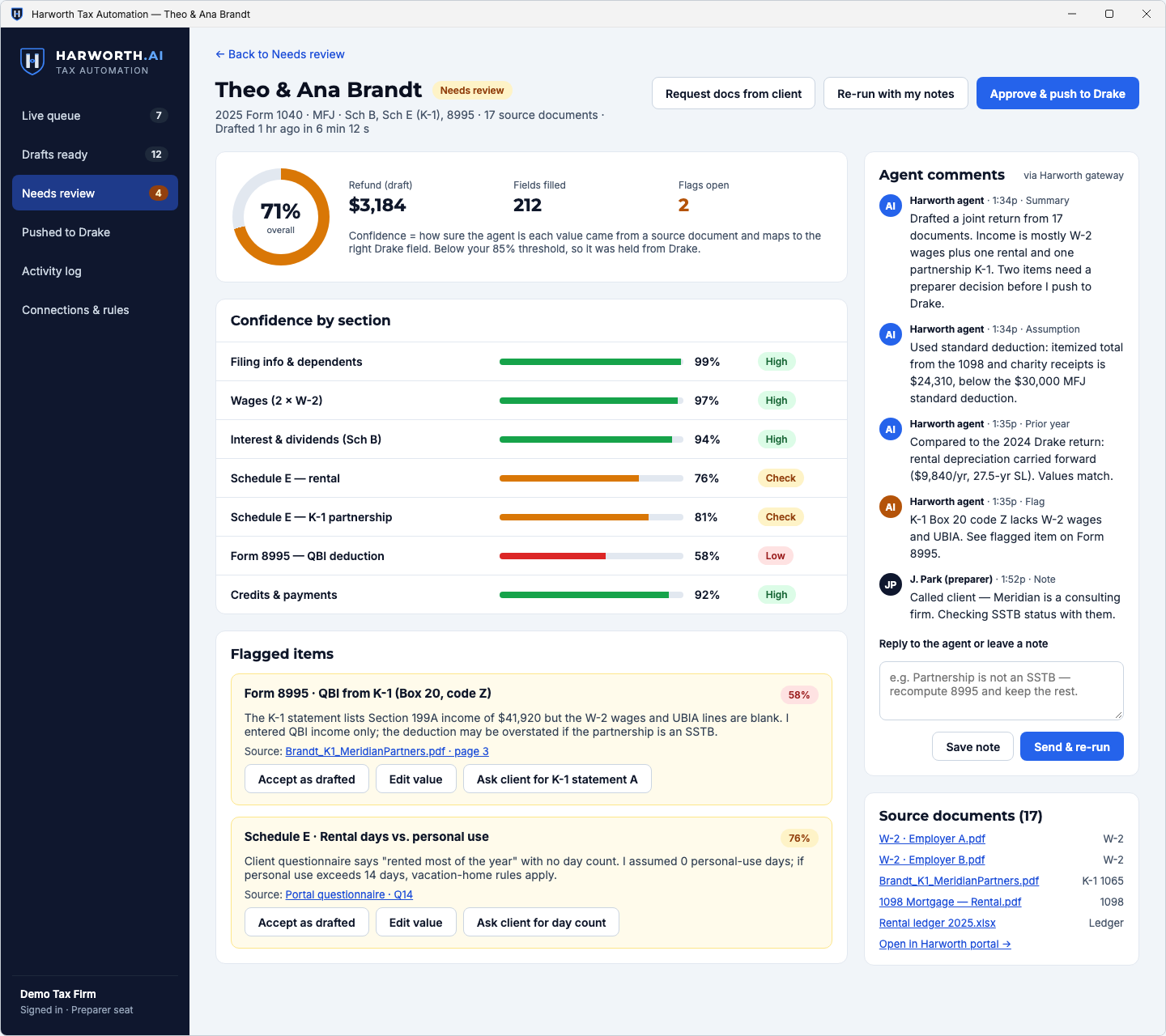
Each draft and each section of the return gets a confidence score, so you know where to look first.
Drafts below your confidence threshold are held for review, with the reason and the source document for each flag.
Open any draft to read the agent's summary, assumptions and flags. Reply with your notes and re-run.
Nothing reaches Drake until a preparer selects finished drafts and clicks Push to Drake.
Drake, your Document Platform and the Harworth AI gateway are monitored, so you know everything is connected and healthy.
Detects Drake automatically, local or networked. Sign in to your Harworth account once and you're ready.
Request a missing document through your Document Platform straight from a flagged item.
Privacy
Your clients' tax data is some of the most sensitive information they have. Harworth Tax Automation is built so it stays private from upload to Drake.